

Logs
Threads
Read recorded model inputs, responses and tool exchanges.
The Thread tab presents the messages recorded on a selected operation. It brings system instructions, input history and the response together, including tool calls made within the exchange.
Open an execution in Logs, select a model or agent operation, then choose Thread in its record panel.
Read the exchange
Section titled “Read the exchange”System instructions appear first and can be expanded with Show more. Earlier input turns are collapsed under earlier turns, leaving the latest input and final assistant response visible. Expand the history to inspect the context supplied to that request.
The thread belongs to the selected operation. To inspect another model request’s context, select that operation in the execution. For activity spanning several requests, open Conversations in Logs. It brings related runs together; each operation retains its own recorded Thread.
Inspect tool calls
Section titled “Inspect tool calls”Expand a tool-call entry to inspect its arguments and any associated result. When the exported messages include a matching call identifier, Radiant displays the result with that call. Text, reasoning and other recorded message parts remain in the exchange.
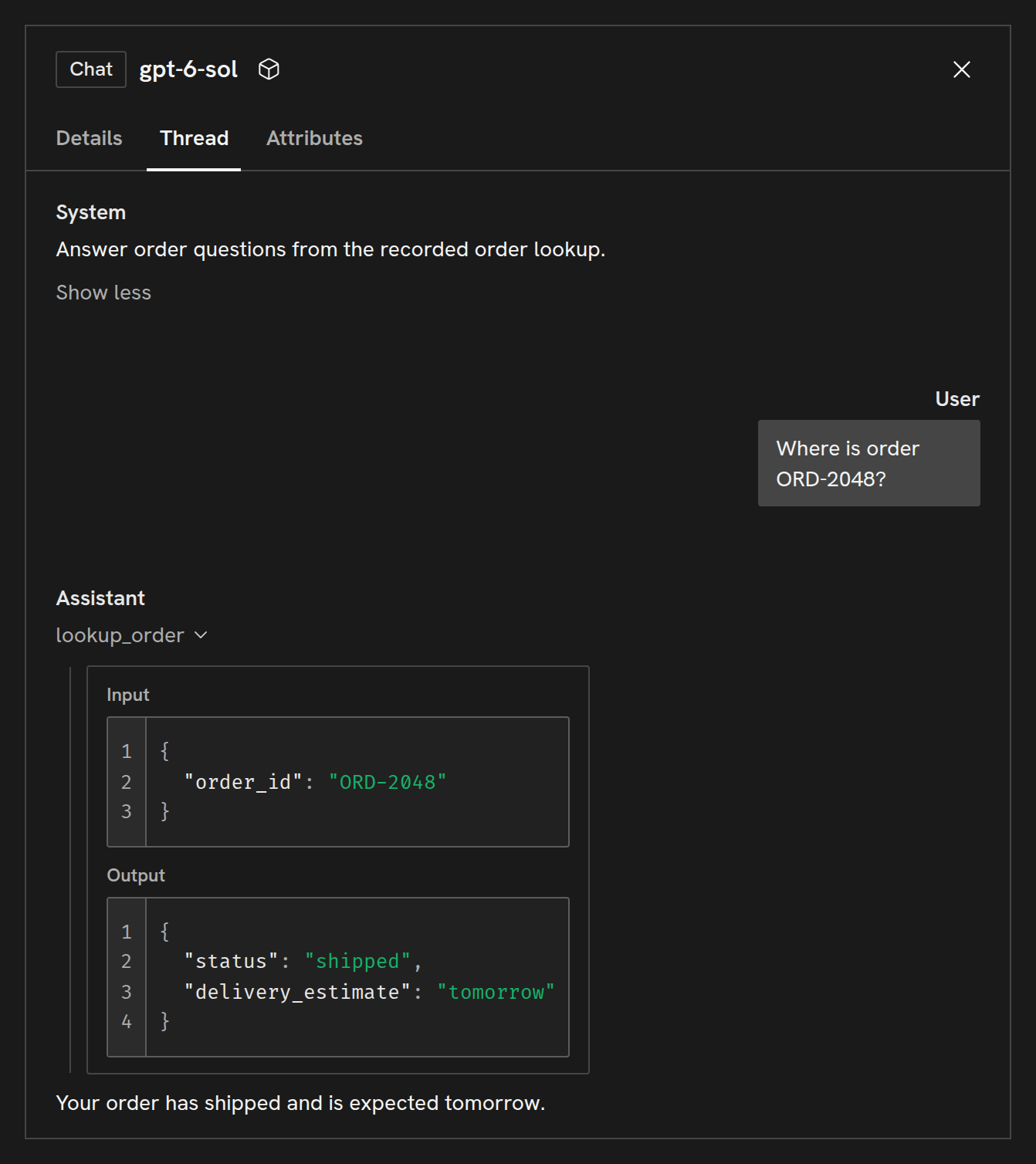
Use the message’s copy control to copy its content, including the arguments and any associated tool result. To inspect the tool’s timing or error, select its operation in the execution pane.
Capture messages
Section titled “Capture messages”Thread appears when Radiant can decode messages from the selected operation’s GenAI attributes. If it is absent, inspect Attributes and compare the exported data with the message format. Enable the relevant capture options in your framework’s connection guide if the application is not exporting the content you need.
Instrumentation may record messages on model requests without copying them to the enclosing agent invocation. In that case, select the model operation to read its Thread. Each tab shows the content exported on that operation, including system instructions when they were recorded there.
Copyright © 2026, Radiant AI Limited.