

Meta Agent
Investigations
Ask questions about project activity and follow the records and tools behind the answer.
Meta Agent answers questions about your project’s recorded activity. It searches traces, inspects operations and links its conclusions to supporting evidence. You can investigate a selected execution or ask a question across the project; connected tools can add information from external systems.
Connect Meta Agent
Section titled “Connect Meta Agent”If the project shows Connect Meta Agent, connect it before starting an investigation. An owner or admin can manage the connection in Settings → Project settings → Shared tools. This enables investigations and background reviews of the project’s telemetry. External service connections are optional and configured separately; see Connected tools and approvals.
Start an investigation
Section titled “Start an investigation”Choose Ask Meta Agent from a trace, run, group, agent or tool. A conversation panel opens beside that activity, keeping the selection as its context. Ask about the behavior you want to understand, such as differences between versions or the operations contributing to latency.
You can also open Meta Agent from the application sidebar to start a project-wide investigation. Give it the identifiers and scope needed to locate the work: a request or session ID, service, release, time range or the behavior you expected.
A conversation keeps its original context. Opening another record does not retarget an existing conversation; start a new conversation for that record or supply its identifier in a follow-up.
Work with the answer
Section titled “Work with the answer”The conversation shows the answer together with source references and tool activity. Open a reference to return to the cited trace, span, observation or message. Expand a tool record when you need to inspect the request and result behind a claim.
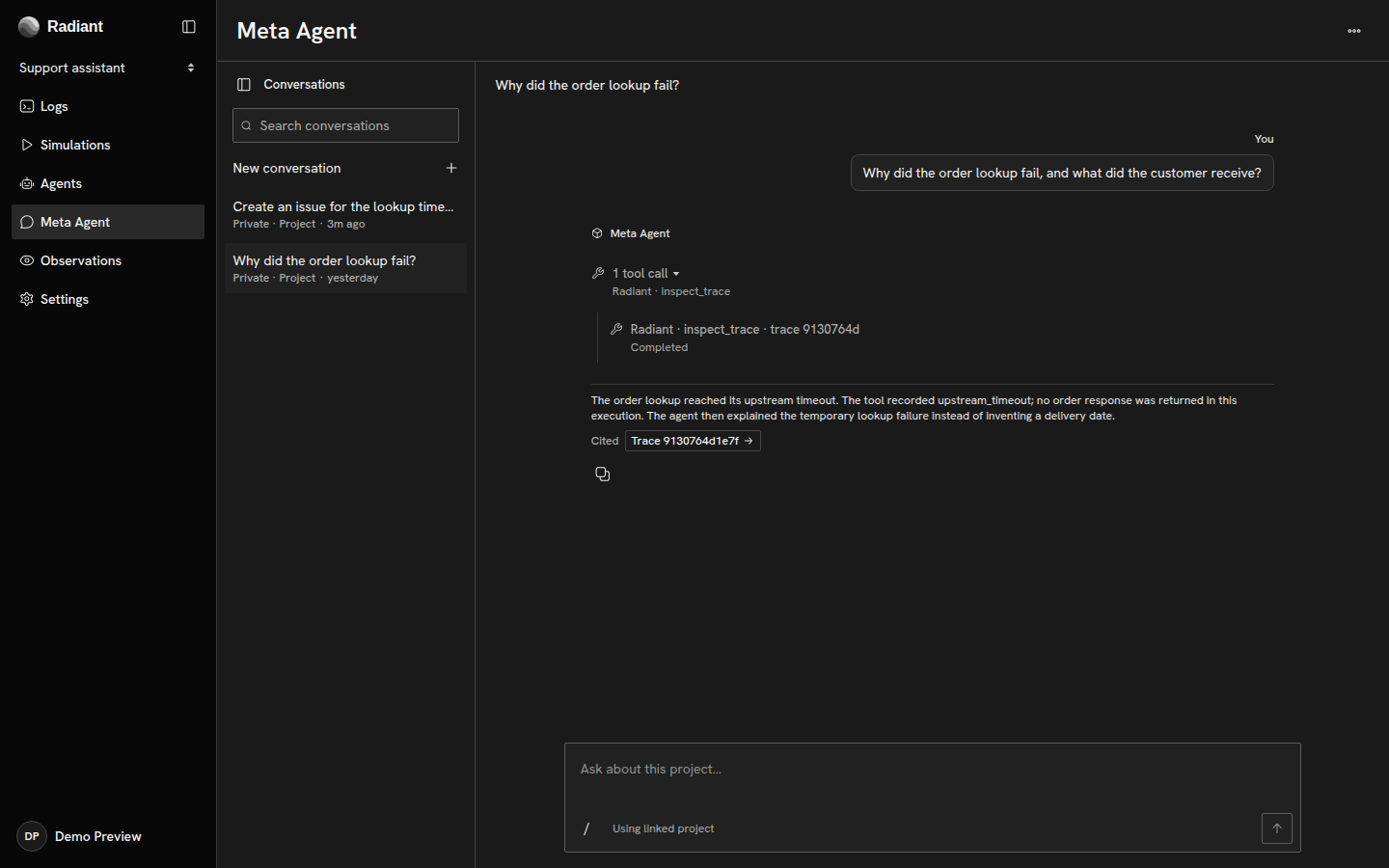
Follow up in the same conversation to compare executions or examine how a conclusion follows from its references. The cited records and tool results let you distinguish what was recorded from Meta Agent’s interpretation.
Tools use the asking participant’s connections and their effective tool permissions within project policy. If a call needs approval, review the requested action in the conversation before approving or denying it. Stop ends an unwanted turn; it does not undo an external action that already completed. See Connected tools and approvals for connection and policy setup.
Continue the work
Section titled “Continue the work”Share the conversation when teammates need to read or contribute. Use a coding handoff to carry an established implementation task into your coding assistant. For a behavior worth checking across later activity, define a Signal.
Copyright © 2026, Radiant AI Limited.