

Simulations
Runs and results
Follow a simulation, assess its outcome, and resolve authentication or execution problems.
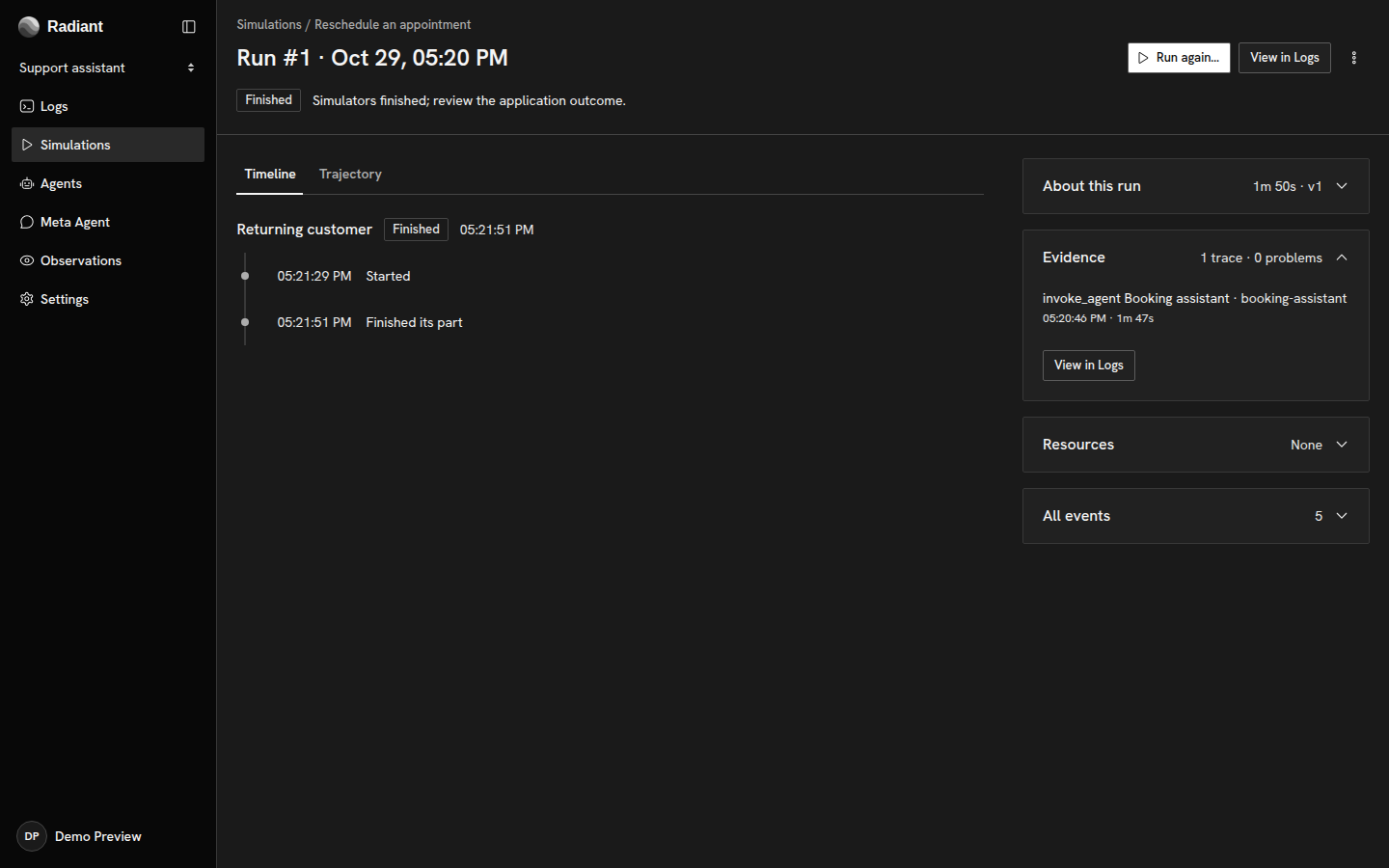
Open a saved simulation’s Runs tab and select a run. Its Timeline shows participant progress and recorded actions. Transcripts and application traces provide the detail needed to assess the result.
Each run retains the definition saved at launch. Use that snapshot when comparing runs across application changes.
Assess the outcome
Section titled “Assess the outcome”A run’s execution status describes whether its participants finished, stopped, timed out, or failed. Finished means all participants explicitly finished; it does not evaluate the definition’s Expected result.
Compare the participant’s recorded actions and the application’s results with the expected result. Observations can review application telemetry under the project’s review configuration and any active Signals.
Resource cleanup is separate from execution. A completed run may still be releasing resources, and a cleanup error can require attention after the participants have ended.
Application evidence
Section titled “Application evidence”The timeline and transcripts describe the simulation participants. Evidence lists your application’s traces associated with the run; select one to inspect its recorded operations in Logs. Trajectory brings the associated activity into a graph, distinguishing recorded relationships from inferred connections.
Your application must export traces to the same project and record the simulation run identifier on the relevant operations. The simulation correlation fields define that association. Connecting a trace exporter does not automatically pass the run identifier through a browser request or phone call.
If your application does not receive that identifier, inspect its activity directly in Logs using the request or conversation identifiers and the run’s time range. Participant progress can still be available even when no application traces appear under Evidence.
Resolve an authentication request
Section titled “Resolve an authentication request”A participant showing Needs sign-in is waiting for authentication assistance. Open its request and, in Participant needs authentication, verify Origin before mapping the requested fields to enabled secrets selected for that participant. Choose Resume authentication, or Retry authentication after a retryable failure.
If the needed secret was not selected at launch, stop the run, add it to the saved definition, and launch a new run. Editing the definition does not change an existing snapshot. If a selected secret has the wrong value, rotate it in project secret settings while retaining its ID, then retry the authentication request. An unresolved challenge remains paused until the deadline; stop the run if it should not continue.
Stop or retry
Section titled “Stop or retry”Stop prevents a queued run from starting or requests that active participants end their work. Resource cleanup can continue afterward.
Retry requests fresh status, evidence, or cleanup updates for the same run after a reported executor or connection error. Resolve the displayed cause before retrying. To execute the scenario again, choose Run again… instead.
Resolve a blocked run
Section titled “Resolve a blocked run”| State | What to check |
|---|---|
| Waiting for a resource | Identify the resource in the participant’s status. Wait for its current user to release it, or ask an administrator to check the project’s grant. Instructions cannot grant resources. |
| Needs attention | Read the update or cleanup error, resolve the executor or connection problem, then use Retry. |
| Timed out | Review where progress stopped. Change the duration or scenario in the definition if appropriate, then launch a new run. |
| Failed | Inspect the execution error and preceding participant activity before starting another run. |
A run’s deadline and participant configuration are fixed at launch. Correct a wrong target or configuration in the definition and start a new execution rather than retrying its status.
Copyright © 2026, Radiant AI Limited.